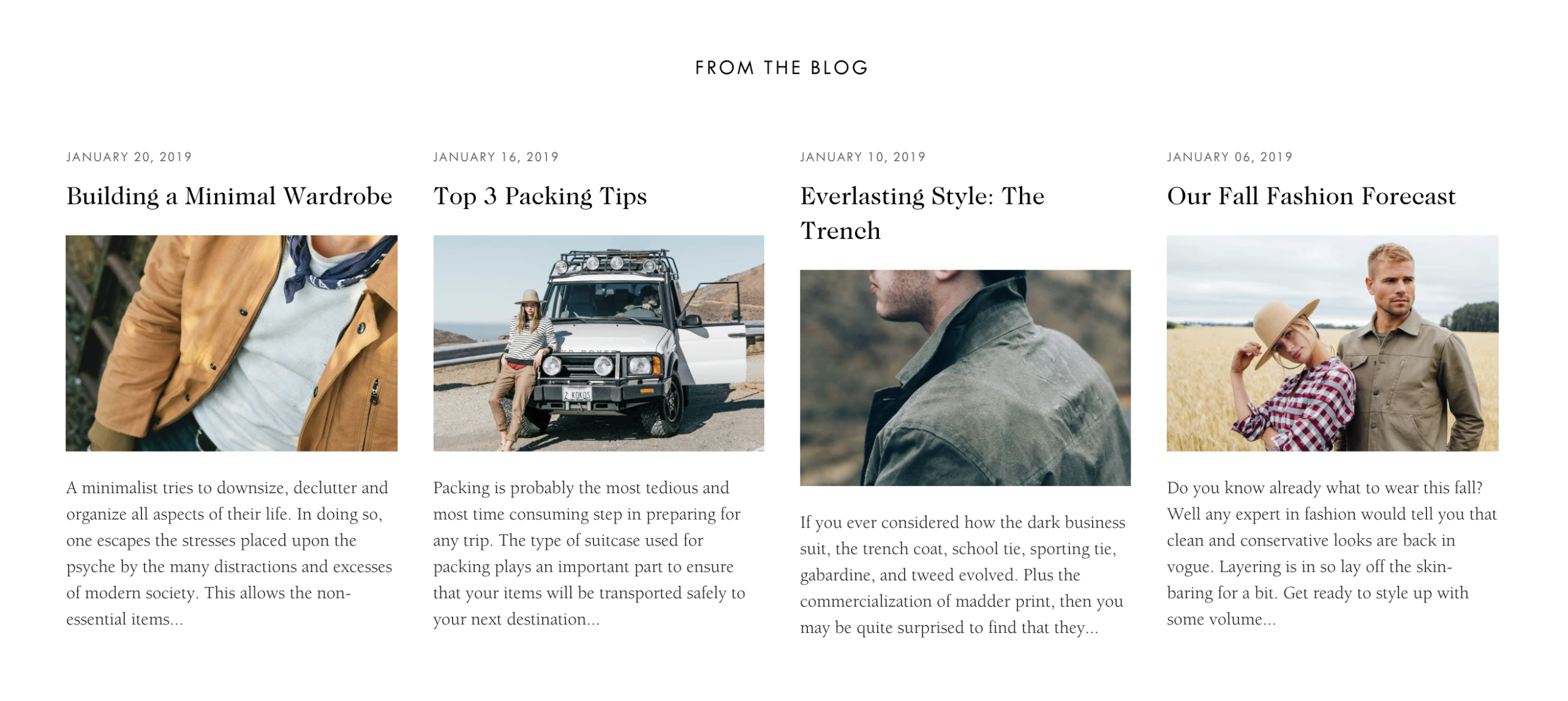
Blog Posts Section

The Blog Posts section displays your latest blog content anywhere on your site. Drive engagement by featuring articles on your homepage or other key pages to keep content fresh and improve SEO.

Add this section to: Home page, Product page, Collection page, Static page, Blog page, Cart page, Collections list page, Search results page, 404 page, Password page

Four blog posts displayed on the Safa demo home page

Adding a Blog Posts Section

  1. In the theme editor (Customize), click Add section.
  2. Select Blog posts from the list of available sections.
  3. Position the section where you want it on the page.
  4. Configure which blog to pull posts from and how many to show.

Customization Options

  • Blog — Select which blog to pull posts from.
  • Number of posts — Choose how many posts to display (2, 3, or 4).
  • Show featured image — Toggle blog post thumbnail display on or off.
  • Show date — Display the publish date for each post.
  • Show author — Show the author name for each post.
  • Show excerpt — Display a brief summary of each post.